
Let shoppers see it on themselves before they pick a size.
A Try it on button sits under your size chart link. The shopper adds one photo and, about 15 seconds later, sees your product on them, with their recommended size and Add to cart right beside it.
Try it on
AI preview Their photo
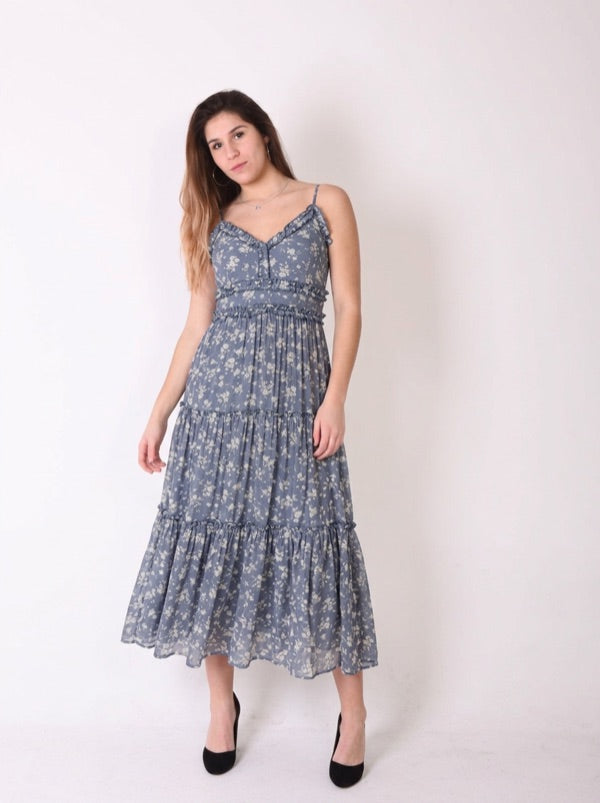 AI preview
Floral tiered midi dress
Your recommended size: M
What the shopper does
Taps Try it on and adds a photo
The button sits under your size chart link on the product page. They choose one full-length photo of themselves and agree to how it’s used.
Sees your product on them
The preview is made from your product photo in about 15 seconds. If you allow it, they can try your other colors with the same photo.
Picks a size and adds to cart
Their recommended size and Add to cart sit beside the preview, so seeing it and buying it happen in the same place.
What you get.
-
Set up from your catalog
Choose products by collection, type, vendor or tag. Each product’s photos are checked so try-on uses one that shows the garment on its own.
-
Clothing and shoes
Dresses, tops, outerwear, bottoms, jumpsuits, activewear and shoes. Children’s clothing, swimwear, lingerie, sleepwear and accessories are left out automatically.
-
Try it on yourself first
Before you turn it on, make a preview with your own photo and one of your products, and see exactly what shoppers will get.
-
Results by product
See try-ons, adds to cart after a try-on, and orders after a try-on, for each product.
-
Shopper photos gone within 24 hours
Nothing made from a shopper’s photo outlives it, and shoppers can delete their photo any time. You get a paragraph to copy into your privacy policy.
-
Never switches off mid-month
Plus includes try-ons every month. Past that, each extra try-on is $0.085, so shoppers never see the button disappear on a busy day.
Specifics
- Storefront
- Theme app block
- Time to a preview
- About 15 seconds
- Works on
- Adult clothing and shoes
- Shopper photos
- Deleted within 24 hours
- Try-ons included
- 50 to 1,500 a month, by order volume
- Extra try-ons
- $0.085 each
- Available on
- Plus
Questions we get.
Nothing stops. Try-on keeps working, and each try-on past your plan’s monthly allowance is $0.085, billed with your app subscription through Shopify.
The rest of it.
All featuresAI size recommender
Five short questions inside the size chart popup, then one size back. Built for apparel, not footwear.
Read moreFit Notes
“Customers say this runs small. Consider sizing up.” From your reviews, or set by you where reviews are thin.
Read moreAnalytics
Conversion lift: the order rate for shoppers who saw a chart against those who didn’t.
Read moreSee your products on your shoppers.
Install free, try it on yourself with one of your products, then turn it on when you like what you see.